
Product
Every recruiting workflow has one home.
Seven workspaces — Dashboard, Jobs, Candidates, Discover, Outreach, Interviews, Reports — with Milo, the AI copilot, embedded in all of them. AI does the busywork; recruiters make the calls.
Meet Milo
A copilot with 32 tools, not a chat window.
Milo lives inside the platform and does real work: drafts outreach, runs sourcing, reviews candidates against roles, answers analytics questions, remembers your team's context. Everything he produces waits for a human — drafts you approve, candidates you accept, reviews you can read the reasoning on.
Discover
Search 850M+ profiles in plain English.
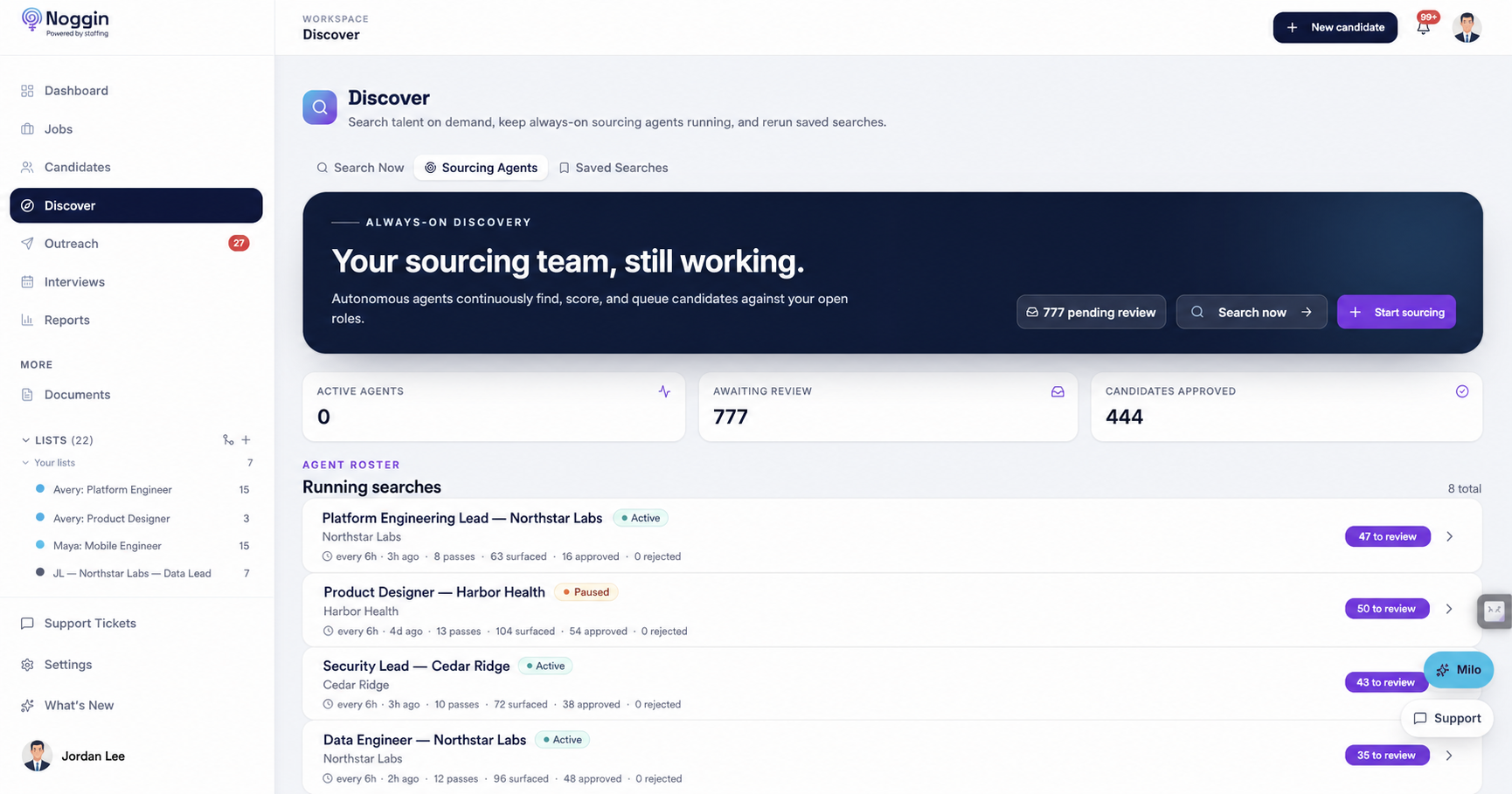
Describe who you need the way you'd tell a colleague — "staff mobile engineers in fintech, open to remote" — and Discover searches your own talent base plus 850M+ external profiles. Any search becomes an always-on sourcing agent with one click: it surfaces candidates on a schedule, you approve or reject, and it learns from every call you make.
Milo builds and refines the search strategy with you — and remembers what "a good fit" means for each role.
Outreach
Drafts first. You approve. Then it sends.
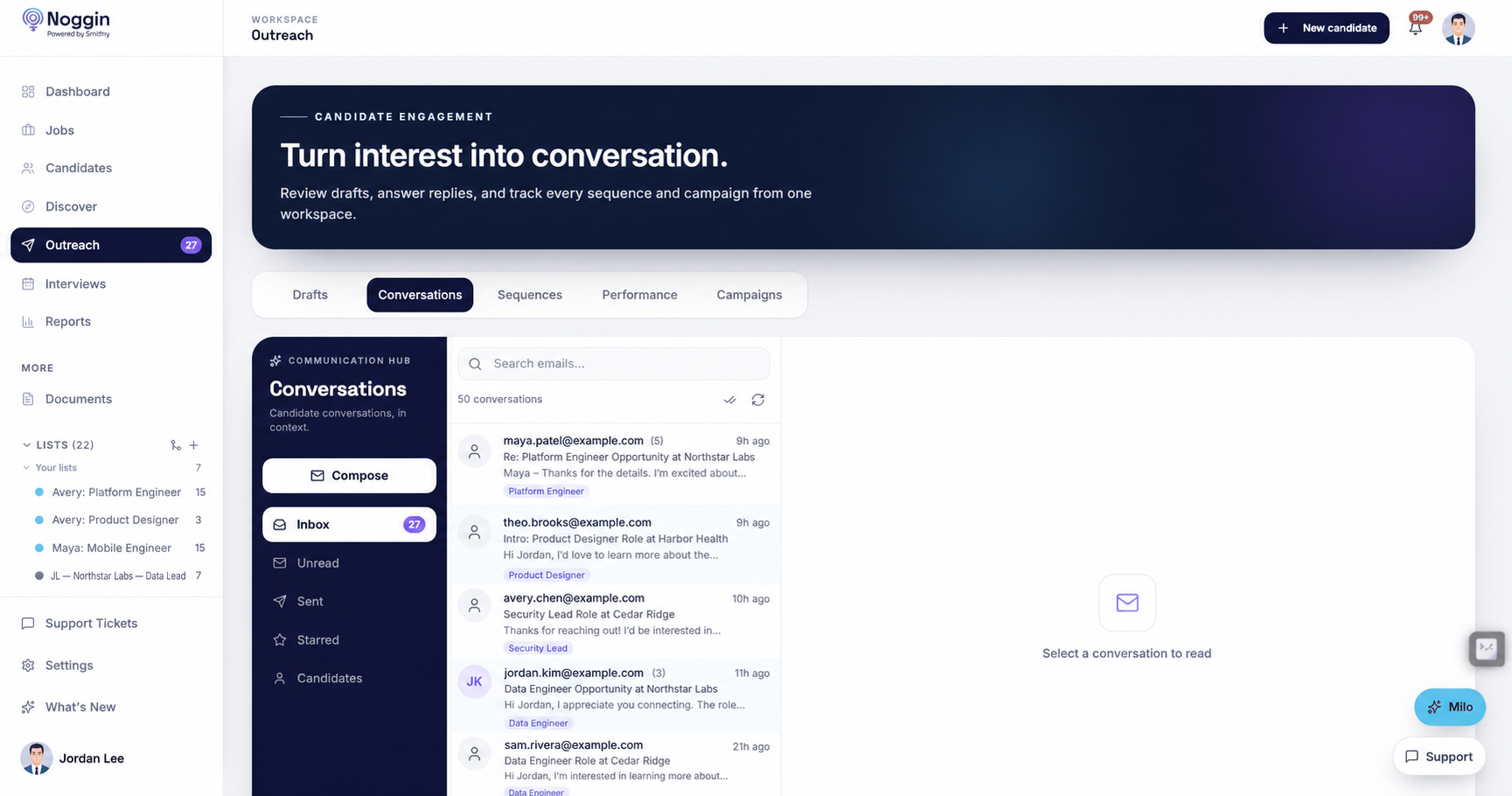
Personalized sequences land in an approval queue, not in candidates' inboxes. Approve, edit, or toss each draft — nothing sends without a recruiter saying so. Outreach goes from your real inbox (Gmail or Outlook), so replies land where you work, with A/B experiments and reply tracking on top.
Milo drafts the outreach; you approve every send. He'll also tell you which sequence variant is actually winning.
Interviews
Scheduling without the calendar tennis.
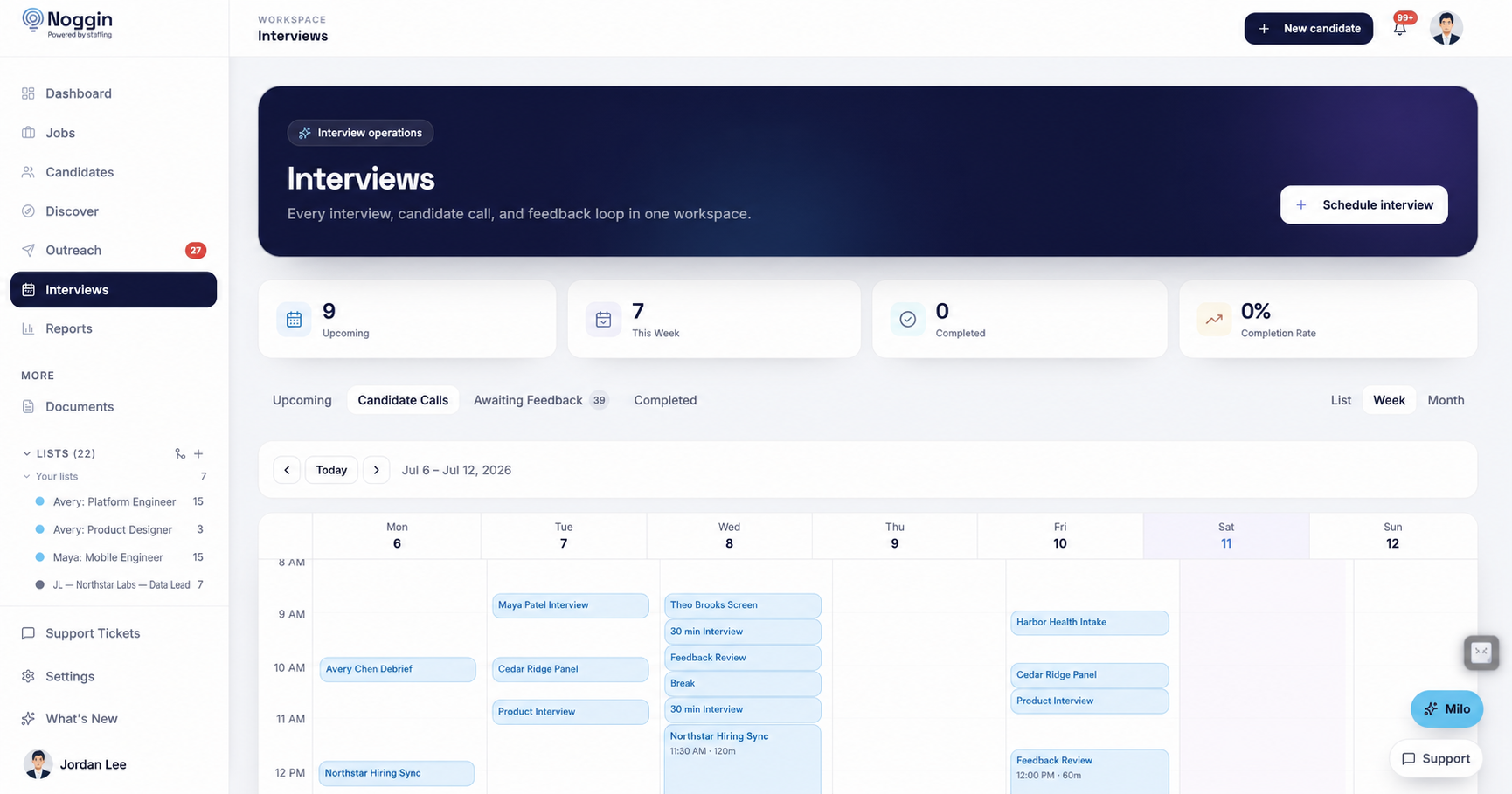
Booking links and calendar sync (Google Calendar) put candidates on the schedule without six-email threads. The awaiting-feedback queue nudges interviewers who owe a scorecard, so candidates never sit in limbo because someone forgot to type three sentences.
Ask Milo who's waiting on feedback and he'll name names — politely.
Candidates
One roster. No duplicates. No mystery rows.
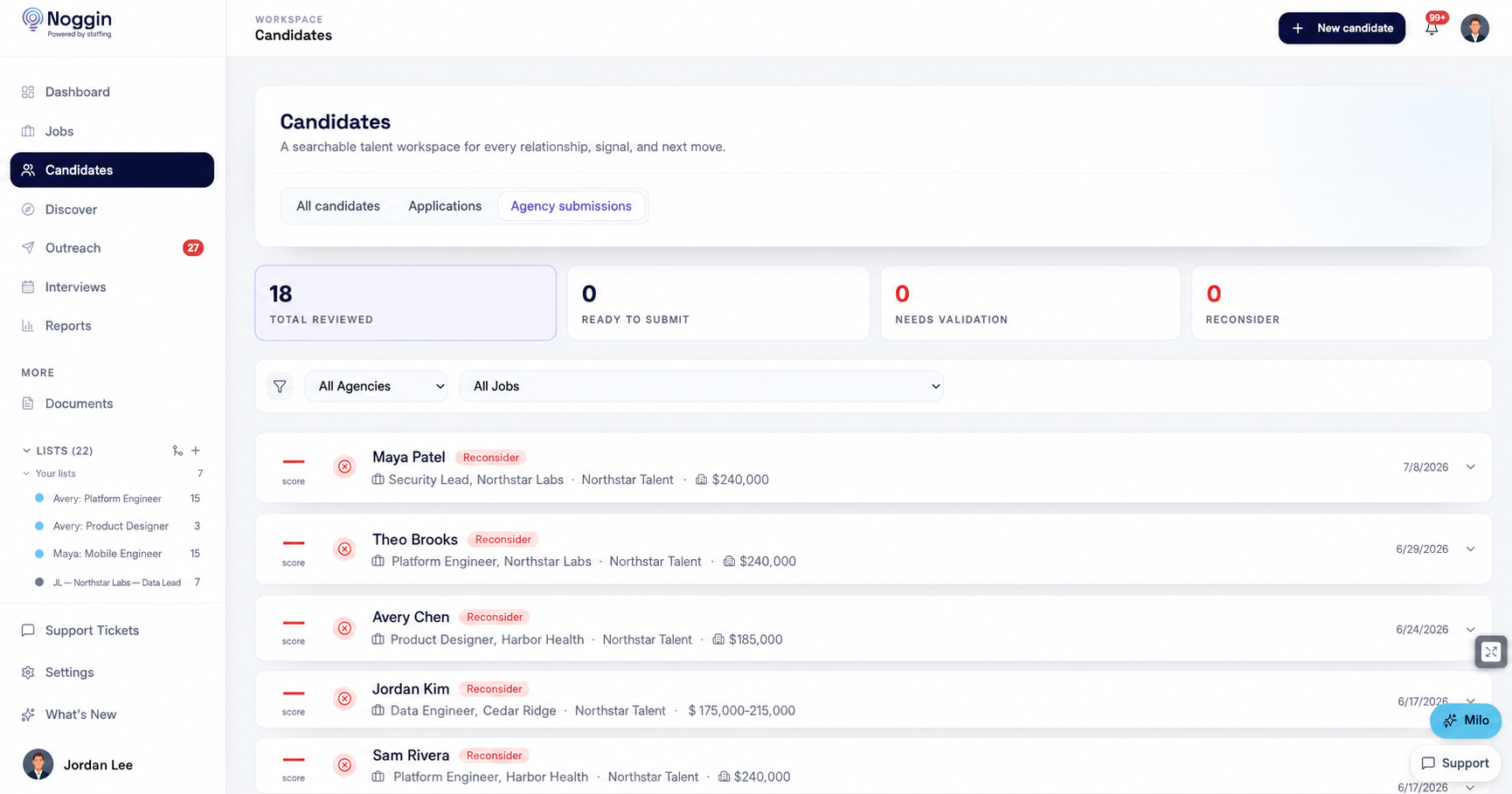
Everyone in one place: sourced candidates, inbound applications from your hosted job board, and AI-screened agency submissions — each a view on the same roster. Dedup and merge keep it clean; enrichment fills in LinkedIn profiles and contact details; the resume parser reads the PDFs so you don't have to.
Milo runs AI fit reviews — every candidate scored against the role with a written rationale, before you spend a phone screen finding out.
Jobs
Post it, share it, or keep it confidential.
Every role gets a home: pipeline, intake notes, and a listing on your hosted job board where candidates apply directly. Confidential searches post anonymously — the company name stays scrubbed until you're ready. Views are URL-shareable, so "can you send me the pipeline?" is just a link.
Milo drafts job descriptions from your intake notes — you edit, you publish.
Reports
Funnels that tell you the truth.
Conversion by stage, source effectiveness, rejection tracking, weekly and monthly trends — and coaching signals that show where each recruiter's funnel leaks. Not a dashboard to admire; a place to find the bottleneck and fix it.
Ask Milo an analytics question in plain English — "why is the AppSec role stuck?" — and get an answer, not a chart export.
Dashboard
Your day, already triaged.
One screen with what needs you now: drafts awaiting approval, agents with new candidates, interviews missing feedback, replies to read. Open Noggin, work the queue, go home.
Milo remembers your team's context across all of it — roles, preferences, decisions — so you never re-explain the search from scratch.
Fits what you already use
Your inbox, your calendar, your browser.
- Gmail & Outlook — outreach sends from your real inbox; replies tracked in Noggin.
- Google Calendar — interview scheduling and booking links, synced.
- Chrome extension — one-click LinkedIn profile import while you browse.
- CSV import & export — bring your current data in; take yours out anytime.
See it with your own roles.
Create an org, post a job, run a search. If Discover can't fill the top of your funnel in the first session, we haven't earned the seat.
Google or Microsoft sign-in · no sales call required